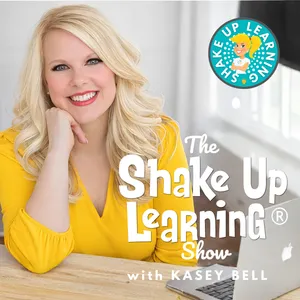
Free Daily Podcast Summary
The Shake Up Learning Show with Kasey Bell: Daily Summaries Delivered
by Kasey Bell
Tired of feeling behind on AI and classroom technology? Kasey Bell breaks it all down for busy K-12 teachers — practical AI tools for teachers, Google Workspace tips, Gemini AI, ChatGPT, and time-saving strategies for lesson planning and classroom management that actually work. No fluff, no overwhelm. Just honest, teacher-friendly professional development from a Google Certified Trainer, edtech author, and international speaker who gets what teachers need. The teacher podcast for staying ahead in education technology.
Latest Episodes
The most recent episodes — sign up to get AI-powered summaries of each one.
- 1 weeks ago26 min
AI for the Holidays: 15 Ideas to Save Your Sanity
259: AI for the Holidays: 15 Ideas to Save Your Sanity The holidays are supposed to be joyful, but the planning, shopping, cooking, travel, and endless to-do lists can leave you feeling anything but merry. What if AI could help lighten the load? In this episode of The Shake Up Learning Show, Kasey Bell shares 15 practical and unexpected ways to use AI to make the holiday season a little easier. From family traditions to everyday tasks, these ideas will help you save time, simplify decisions, and make more room for what matters most. Plus, don't miss the AI Tip of the Week for turning your messy brain dump into a manageable plan. 🔗 Access the full show notes and blog post here ⭐ Join the Powerful Teaching Book Study 🎟️ GET CREDIT for listening to this episode: Join the ALL ACCESS Membership 📺 Visit Shake Up Learning on YouTube
- 3 weeks ago25 min
Top 20+ AI Tools for Teachers
258: Need to adapt a reading passage, create classroom materials, or help students explain their thinking? Explore 21 AI tools for teachers in this updated guide from Kasey Bell. Get a practical overview of ChatGPT, Claude, Gemini, Canva, Brisk, Diffit, MagicSchool, and more, with ideas for matching each tool to the work you actually need to do. You'll also learn a simple way to compare AI tools, what to check before using them with students, and why you don't need to try every new tool. Choose one teaching task, find a tool that fits, and put it to work without adding to your overwhelm. 🔗 Access the full show notes and blog post here ⭐ Join the Powerful Teaching Book Study 🎟️ GET CREDIT for listening to this episode: Join the ALL ACCESS Membership 📺 Visit Shake Up Learning on YouTube
- Sep 29, 202632 min
AI Can Help With That? Unexpected Ways Teachers Can Use AI
257: Most teachers know AI can create lesson plans, quizzes, and parent emails—but those obvious uses barely scratch the surface. In this episode, Kasey shares unexpected ways teachers can use AI to build better classroom systems, think through difficult decisions, prepare for challenging conversations, learn new tools, and solve the small recurring problems that quietly consume time and energy. You'll also discover how the new AI Prompt Library inside ALL ACCESS helps teachers find uses for AI they may never have considered—and provides ready-to-customize prompts so you can skip the blank box and get straight to solving the problem in front of you. 🔗 Access the full show notes and blog post here ⭐ Join the Powerful Teaching Book Study 🎟️ GET CREDIT for listening to this episode: Join the ALL ACCESS Membership 📺 Visit Shake Up Learning on YouTube
- Sep 15, 202634 min
10 Canva Secrets Every Teacher Should Know
256: If you're only using Canva to make cute slides, you're leaving most of it on the table! In this episode, Kasey shares 10 powerful Canva for Education features that can save teachers time, simplify classroom workflows, and help create more engaging learning experiences. Discover how to use Bulk Create, Canva's AI Quiz Generator, Magic Activities, Magic Write, the Learn Grid, classroom Brand Kits, LMS integrations, and more. Plus, get a look at Canva's new Live Learning Sessions, which allow teachers and students to collaborate in real time. Whether you're new to Canva or use it every day, you'll find practical features you may have overlooked—and ideas you can start using in your classroom right away. 🔗 Access the full show notes and blog post here ⭐ Join the Powerful Teaching Book Study (starts September 23) 🎟️ GET CREDIT for listening to this episode: Join the ALL ACCESS Membership 📺 Visit Shake Up Learning on YouTube
- Sep 1, 202621 min
Powerful Teaching: 4 Research-Based Strategies That Help Learning Stick
#255: Some of the study strategies your students rely on most- rereading notes, highlighting, cramming the night before- actually give them a false sense of learning. In this episode, I'm breaking down four research-based strategies from the book Powerful Teaching by Pooja Agarwal and Patrice Bain that help learning actually stick, not just look like it stuck in the moment. ⭐ Get the book: Powerful Teaching: Unleash the Science of Learning ⭐ Join the Powerful Teaching Book Study (starts September 23) In this episode: The difference between encoding, storage, and retrieval, and why familiarity can fake you out into thinking students have learned something Power Tool #1: Retrieval Practice, low-stakes ways to get students pulling information from memory instead of just rereading it Power Tool #2: Spacing, why cramming works short-term and fails long-term, and simple ways to bring old learning back Power Tool #3: Interleaving, mixing related concepts so students have to decide which strategy applies instead of following a pattern Power Tool #4: Feedback-Driven Metacognition, helping students get honest about what they actually know versus what just feels familiar A one-move classroom challenge you can try tomorrow, no new app, no prep 🔗 Access the full show notes and blog post here 🎟️ GET CREDIT for listening to this episode: Join the ALL ACCESS Membership 📺 Visit Shake Up Learning on YouTube
- Aug 17, 202640 min
Google Classroom Deep Dive: The New Homepage, Notebooks, and GemsGoogle Classroom Deep Dive: The New Homepage, Notebooks, and Gems
#254: Google Classroom got a whole lot of updates this summer, and in episode 253 I promised I'd come back and go deeper. This is that episode. I'm walking through the redesigned homepage, how to build and assign a Gemini Notebook or a Gem right from Classwork, the new AI rubric generation, and the learning goals tracking that quietly showed up in your gradebook. Plus the honest caveats: what your admin has to turn on, and what you can't see about how your students are using AI. In this episode, you'll learn: What actually changed on the new Classroom homepage, and why yours may look different from mine How to assign a Gemini Notebook or a Gem straight from the Classwork page How to build a Study partner Gem from a unit doc you already have (this week's AI Tip) How to generate a brand new rubric from inside the assignment creation page How to track learning goals and see student performance by standard What the student Gemini tab means now that it's open to all ages, and what you can't monitor The three questions to send your admin before you plan a single lesson around this ⭐ Full show notes and links: https://shakeuplearning.com/254 ⭐ Gemini AI in Google Classroom masterclass: https://shakeuplearning.com/geminimaster 🏆 Want PD credit for this session? ALL ACCESS members earn a certificate. 👉 Back-to-School Sale: 50% off quarterly ALL ACCESS through August 30 — https://member.shakeuplearning.com 📺 Visit Shake Up Learning on YouTube
- Aug 4, 202644 min
Claude for Teachers, Google Classroom & Canva: What's New for Back to School
#253: Claude for Teachers, Google Classroom, and Canva all shipped major updates this summer. In this episode, I'm walking you through what's new, why it matters, and where I'd personally start heading into back-to-school. ⭐ Explore Claude for Teachers: https://claude.com/solutions/teachers ⭐ Try Canva's Learn Grid: canva.com/learn-grid/ ⭐ Gemini AI in Google Classroom Cheat Sheet: https://shakeuplearning.com/gemini In this episode: What is Claude for Teachers? The ecosystem of tools connected to Claude for Teachers (Brisk, Diffit, MagicSchool, Canva, and more) Google Classroom updates you probably missed, recording tools, AI feedback, rubric conversion, the new Gemini Classroom app, and the new homepage Canva's Learn Grid: free, live now, and built for differentiation without extra work 🔗 Access the full show notes and blog post here 📋 Back-to-School AI Prompt Cheat Sheet (FREE) ✅ AI-Powered Back-to-School Checklist (FREE) 🎟️ GET CREDIT for listening to this episode: Join the ALL ACCESS Membership (back-to-school sale running now) 📺 Visit Shake Up Learning on YouTube
- Jul 7, 202639 min
NotebookLM: Your New Teaching Assistant
#252: NotebookLM is one of the most underused AI tools in education, and in this session, Ashley Shanley walks you through exactly how to put it to work in your classroom. From generating AI-powered podcasts to interactive quizzes, mind maps, explainer videos, and study guides, you'll see how NotebookLM turns your existing documents into engaging learning experiences, without ever pulling from the open web. In this session, you'll learn: What NotebookLM is and how its closed-loop, source-only model protects student data How to use the Studio features: audio overviews, slide decks, explainer videos, mind maps, reports, flashcards, and quizzes How to support English Language Learners with multilingual output (50+ languages) Data privacy best practices for using AI responsibly in K-12 classrooms (FERPA, COPPA, PII) How to turn a boring PDF or slideshow into a student-ready podcast or video in minutes Remember, today's episode is available in both video and audio formats. Check the description below for a link to access the video and blog post. And you can get credit for this session inside our ALL ACCESS Teacher Membership, also linked below. ➡️ Full video and blog post 📺 Visit Shake Up Learning on YouTube 🏆 Want PD credit for this session? ALL ACCESS members earn a certificate for every Summer Learning Series session they complete — perfect your district's PD requirements. 👉 Join ALL ACCESS: https://member.shakeuplearning.com 📅 Register for the FREE Summer Learning Series: https://shakeuplearning.com/summer The Summer Learning Series is a free professional development event for K-12 teachers, coaches, and leaders from Shake Up Learning. New sessions drop every Tuesday and Thursday all summer long.
Get The Shake Up Learning Show with Kasey Bell summaries in your inbox
Free AI-powered daily recaps. Key takeaways, quotes, and mentions — in a 5-minute read.
Get Free Summaries →Free forever for up to 3 podcasts. No credit card required.
You Might Also Like
Listeners also like.

Everyday AI Podcast – An AI and ChatGPT Podcast
Covers practical uses of AI tools like ChatGPT and Midjourney to help people work more efficiently and advance their careers.

Artificial Intelligence Masterclass
Examines the philosophical and ethical dimensions of artificial intelligence and its impact on society, meaning, and the future of work.
How I AI
A practical guide to using AI tools in work and life, featuring guests who share specific, actionable techniques and workflows.

Intentional AI
Two productivity experts explore practical applications of artificial intelligence to improve work efficiency and daily workflows.
The Cult of Pedagogy Podcast
Discusses teaching strategies, classroom dynamics, and education reform through interviews with educators and school community members.
Hands-On AI (Video)
Teaches practical ways to understand and use artificial intelligence in daily tasks through clear, hands-on examples.
AI For Humans: Weekly AI News, Tools & Trends
A weekly breakdown of major AI news, tools, and breakthroughs for both newcomers and seasoned enthusiasts.

Silicon Valley Girl: AI, Tech and Career Growth
Marina Mogilko interviews tech leaders and AI founders about career growth, entrepreneurship, and navigating the AI revolution.
The Christy-Faith Show
A podcast offering educational and homeschooling insights for intentional parents.
Life, Automated
Explores how technology and AI are reshaping work, life, and decision-making through accessible conversations with experts across fields.
Learn AI
Learn AI
Practical AI
Discusses practical applications and real-world implementations of AI, machine learning, and related technologies for a broad audience.
About The Shake Up Learning Show with Kasey Bell
Tired of feeling behind on AI and classroom technology? Kasey Bell breaks it all down for busy K-12 teachers — practical AI tools for teachers, Google Workspace tips, Gemini AI, ChatGPT, and time-saving strategies for lesson planning and classroom management that actually work. No fluff, no overwhelm. Just honest, teacher-friendly professional development from a Google Certified Trainer, edtech author, and international speaker who gets what teachers need. The teacher podcast for staying ahead in education technology.
Customized Recaps
AI-powered recaps with compact key takeaways, quotes, and insights.
Straight to Your Inbox
Get key takeaways from The Shake Up Learning Show with Kasey Bell in a 5-minute read.
Save Hours Every Week
Stay current on your favorite podcasts without falling behind.
Frequently Asked Questions
What is Podzilla's The Shake Up Learning Show with Kasey Bell daily summary?
It's a free AI-powered email that summarizes new episodes of The Shake Up Learning Show with Kasey Bell as soon as they're published. You get the key takeaways, notable quotes, and links & mentions — all in a quick read.
How does the The Shake Up Learning Show with Kasey Bell podcast summary work?
When a new episode drops, our AI transcribes and analyzes it, then generates a personalized summary tailored to your interests and profession. It's delivered to your inbox every morning.
Is this an official The Shake Up Learning Show with Kasey Bell product?
No. Podzilla is an independent service that summarizes publicly available podcast content. We're not affiliated with or endorsed by Kasey Bell.
Can I get summaries of other podcasts too?
Absolutely! The free plan covers up to 3 podcasts, any in the catalog. Basic raises that to 15, Pro to 40 and Max to 100. Browse our full catalog at /podcasts.
How often does The Shake Up Learning Show with Kasey Bell release new episodes?
The Shake Up Learning Show with Kasey Bell publishes biweekly. Our AI generates a summary within hours of each new episode.
What topics does The Shake Up Learning Show with Kasey Bell cover?
The Shake Up Learning Show with Kasey Bell covers topics including Education, How To, Self-Improvement. Our AI identifies the specific themes in each episode and highlights what matters most to you.
Start getting The Shake Up Learning Show with Kasey Bell summaries tomorrow morning.
Free forever for up to 3 podcasts. No credit card required.
Free forever for up to 3 podcasts. No credit card required.