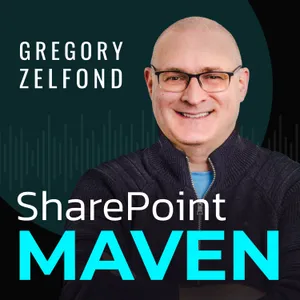
Free Daily Podcast Summary
SharePoint Maven Podcast: Daily Summaries Delivered
by Greg Zelfond
Get key takeaways, quotes, and insights from SharePoint Maven Podcast in a 5-minute read. Delivered straight to your inbox.
Latest Episodes
The most recent episodes — sign up to get AI-powered summaries of each one.
- 4 days ago14 min
Stop Guessing Permissions: 5 Places Where SharePoint Security Is Actually Set
In this episode, I break down the five key locations where SharePoint security is configured.BLOG REFERENCES5 Locations where you can set security in SharePointNEED HELP?Want to confidently navigate SharePoint and Microsoft 365? Enroll in my revamped On-Demand SharePoint and Microsoft 365 AcademyFREE RESOURCESGet access to free resources, live training & On-Demand courses, and get the help you need to properly set up and implement SharePointTIPS IN YOUR INBOXBi-Weekly newsletterFOLLOW ME FacebookInstagramTwitterLinkedInPinterestYouTube
- 1 weeks ago11 min
Stop Losing Files: 5 Powerful Benefits of Version History in SharePoint
In this episode, I explain why SharePoint version history is one of the most underrated features in Microsoft 365. I walk through five key benefits of version history and how it helps protect files, improve collaboration, and save you from costly mistakes.BLOG REFERENCES5 Benefits of Version History in SharePointNEED HELP?Want to confidently navigate SharePoint and Microsoft 365? Enroll in my revamped On-Demand SharePoint and Microsoft 365 AcademyFREE RESOURCESGet access to free resources, live training & On-Demand courses, and get the help you need to properly set up and implement SharePointTIPS IN YOUR INBOXBi-Weekly newsletterFOLLOW ME FacebookInstagramTwitterLinkedInPinterestYouTube
- 2 weeks ago10 min
Stop Wasting Time on SharePoint Manuals: Here’s What Actually Works
In this episode, I explain why traditional SharePoint training manuals often fail and don’t deliver real value. I share what actually helps users learn SharePoint effectively and how organizations can rethink training to drive real adoption.BLOG REFERENCESWhy SharePoint Training Manuals Are a Waste of TimeNEED HELP?Want to confidently navigate SharePoint and Microsoft 365? Enroll in my revamped On-Demand SharePoint and Microsoft 365 AcademyFREE RESOURCESGet access to free resources, live training & On-Demand courses, and get the help you need to properly set up and implement SharePointTIPS IN YOUR INBOXBi-Weekly newsletterFOLLOW ME FacebookInstagramTwitterLinkedInPinterestYouTube
- 3 weeks ago9 min
Stop Struggling with Forms: 6 Easy Ways to Add Microsoft Forms to SharePoint
In this episode, I walk through six different ways to add a Microsoft Form to a SharePoint site. I explain where each option works best, the limitations to watch out for, and how to choose the right method for your scenario.BLOG REFERENCES6 ways to add a Microsoft Form to a SharePoint SiteNEED HELP?Want to confidently navigate SharePoint and Microsoft 365? Enroll in my revamped On-Demand SharePoint and Microsoft 365 AcademyFREE RESOURCESGet access to free resources, live training & On-Demand courses, and get the help you need to properly set up and implement SharePointTIPS IN YOUR INBOXBi-Weekly newsletterFOLLOW ME FacebookInstagramTwitterLinkedInPinterestYouTube
- Apr 17, 202618 min
Understanding the 5 Types of Plans in Microsoft Planner
In this episode, I break down the five different types of plans available in Microsoft Planner. From personal task tracking to Microsoft 365 Group collaboration and premium planning features, I explain what each plan type is and when to use it.BLOG REFERENCES5 Types of Plans in PlannerNEED HELP?Want to confidently navigate SharePoint and Microsoft 365? Enroll in my revamped On-Demand SharePoint and Microsoft 365 AcademyFREE RESOURCESGet access to free resources, live training & On-Demand courses, and get the help you need to properly set up and implement SharePointTIPS IN YOUR INBOXBi-Weekly newsletterFOLLOW ME FacebookInstagramTwitterLinkedInPinterestYouTube
- Apr 10, 202616 min
SharePoint’s New Versioning Settings - Are You Using Them Right?
In this episode, I walk you through the updated version history settings in SharePoint Online, how to configure them, what new options Microsoft added, and how to get control over versioning and storage before it spirals out of hand.BLOG REFERENCESHow to manage Version History settings in SharePointNEED HELP?Want to confidently navigate SharePoint and Microsoft 365? Enroll in my revamped On-Demand SharePoint and Microsoft 365 AcademyFREE RESOURCESGet access to free resources, live training & On-Demand courses, and get the help you need to properly set up and implement SharePointTIPS IN YOUR INBOXBi-Weekly newsletterFOLLOW ME FacebookInstagramTwitterLinkedInPinterestYouTube
- Apr 3, 20269 min
Got offices around the globe? Here are 5 easy ways to show them in SharePoint.
In this episode, I walk you through five simple and effective methods to display office locations in SharePoint, from interactive maps to clean list galleries and location pages.BLOG REFERENCES5 Ways to Display Office Locations in SharePointNEED HELP?Want to confidently navigate SharePoint and Microsoft 365? Enroll in my revamped On-Demand SharePoint and Microsoft 365 AcademyFREE RESOURCESGet access to free resources, live training & On-Demand courses, and get the help you need to properly set up and implement SharePointTIPS IN YOUR INBOXBi-Weekly newsletterFOLLOW ME FacebookInstagramTwitterLinkedInPinterestYouTube
- Mar 27, 202622 min
Struggling with Messy SharePoint Navigation? Here Are 12 Ways to Fix It.
In this episode, I break down 12 practical, real-world ways to improve navigation in SharePoint Online, from simplifying your hub structure to cleaning up your menus, organizing content, and making it easier for users to actually find what they need.BLOG REFERENCESSharePoint Online Navigation Best PracticesNEED HELP?Want to confidently navigate SharePoint and Microsoft 365? Enroll in my revamped On-Demand SharePoint and Microsoft 365 AcademyFREE RESOURCESGet access to free resources, live training & On-Demand courses, and get the help you need to properly set up and implement SharePointTIPS IN YOUR INBOXBi-Weekly newsletterFOLLOW ME FacebookInstagramTwitterLinkedInPinterestYouTube
Get SharePoint Maven Podcast summaries in your inbox
Free AI-powered daily recaps. Key takeaways, quotes, and mentions — in a 5-minute read.
Get Free Summaries →Free forever for up to 3 podcasts. No credit card required.
You Might Also Like
Listeners also like.

M365.FM - Modern work, security, and productivity with Microsoft 365
Mirko Peters (Microsoft 365 consultant and trainer)
Mastering Mondays
No More Bad Mondays
CRM Audio
George Doubinski
The PowerShell Podcast
PDQ.com
Microsoft Innovation Podcast
Mark Smith [nz365guy]

Podcast Website Tips: Growing Your Podcast via the Web
Dave Jackson, Brenden Mulligan
Podcasting Tech
Mathew Passy
The Azure Security Podcast
Michael Howard, Sarah Young, Gladys Rodriguez and Mark Simos
Microsoft 365 Voice
M365 Voice
Learn Microsoft Excel with MyExcelOnline
John Michaloudis interviews Microsoft Excel experts and MVPs about their fa

Microsoft Mechanics Podcast
Microsoft Mechanics
Privacy Matters Podcast
MPSLLC
About SharePoint Maven Podcast
Welcome to the SharePoint Maven Podcast — where you can learn a new SharePoint tip in less time than it takes to drink your first cup of coffee! Whether you’re an overwhelmed administrator looking for answers, or simply a user who needs help implementing and adapting to SharePoint and Microsoft 365, this podcast is a quick, approachable, free resource designed to build your confidence in your SharePoint abilities. Each week, you can catch Greg right here sharing updates, providing step-by-step tutorials, and other helpful SharePoint information. Remember, when SharePoint gets overwhelming, don’t panic — Greg is here to help!
Customized Recaps
AI-powered recaps with compact key takeaways, quotes, and insights.
Straight to Your Inbox
Get key takeaways from SharePoint Maven Podcast in a 5-minute read.
Save Hours Every Week
Stay current on your favorite podcasts without falling behind.
Frequently Asked Questions
What is Podzilla's SharePoint Maven Podcast daily summary?
It's a free AI-powered email that summarizes new episodes of SharePoint Maven Podcast as soon as they're published. You get the key takeaways, notable quotes, and links & mentions — all in a quick read.
How does the SharePoint Maven Podcast podcast summary work?
When a new episode drops, our AI transcribes and analyzes it, then generates a personalized summary tailored to your interests and profession. It's delivered to your inbox every morning.
Is this an official SharePoint Maven Podcast product?
No. Podzilla is an independent service that summarizes publicly available podcast content. We're not affiliated with or endorsed by Greg Zelfond.
Can I get summaries of other podcasts too?
Absolutely! The free plan covers up to 3 podcasts. Upgrade to Pro for 15, or Premium for 50. Browse our full catalog at /podcasts.
What topics does SharePoint Maven Podcast cover?
SharePoint Maven Podcast covers topics including Technology, Education, How To. Our AI identifies the specific themes in each episode and highlights what matters most to you.
Start getting SharePoint Maven Podcast summaries tomorrow morning.
Free forever for up to 3 podcasts. No credit card required.
Free forever for up to 3 podcasts. No credit card required.