Free Daily Podcast Summary
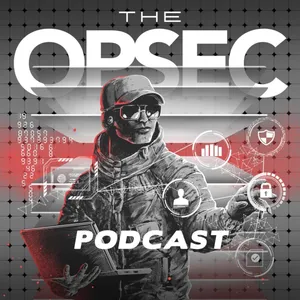
The OPSEC Podcast: Daily Summaries Delivered
by Grey Dynamics
Explore the real world of operational security with host Allen pace as he takes you through the privacy strategies, security tools, and threat mindsets that protect you when Big Tech won't and the government can't.
Latest Episodes
The most recent episodes — sign up to get AI-powered summaries of each one.
- Today21 min
Ghost Signal: How AI Turned the Voices You Trust Into a Weapon
# Ghost Signal: How AI Turned the Voices You Trust Into a Weapon For your whole life, a familiar voice has been proof of identity. A few seconds of audio from a social media clip is now enough to clone the voice of someone you love, and many cloning tools ask for little more than a name and an email address. This episode breaks down how AI-powered social engineering attacks get built, the three plays aimed at everyday people, and the free, low-tech protocol that beats all of them. ## In This Episode - What actually changed: AI removed the skill barrier from impersonation, and why "look for the typos" is now dangerous advice. - The assembly line: reconnaissance, pretext, voice clone, stacked channels, and manufactured urgency. - The three plays that do most of the damage: the family emergency call, the fake bank fraud call that asks for your code, and the message that knows your life. - How deepfake video is used to override a target's own suspicion. - Why the FBI now tells families to set up a secret word. - Why your family's public posts work as source material, and the military discipline of emissions control. ## Key Takeaways - A familiar voice or face is no longer proof of identity. Trust needs a protocol. - Every one of these attacks depends on urgency and on keeping you inside the attacker's conversation. Step outside it and the attack falls apart. - An AI can clone a voice from a video, but it cannot clone a word that was never recorded anywhere. - No bank, agency, or support line will call you and ask you to read back a code. If someone does, it is an attack. - A hardware security key cannot be talked out of you over the phone. - The people most likely to get the call are your parents and grandparents. Brief them with a specific rule, not a general warning. ## Do This Week 1. Sit down with your family in person and pick a safe word. The rule: no word, no action. 2. Agree on the callback rule: hang up and call back on a number already saved in your phone, or the number on the back of your card. 3. Walk your parents and grandparents through both rules, or listen to this episode with them. 4. Replace your personalized voicemail greeting with the default system greeting. 5. Set family social accounts to private, post trips after you get home, and ask whether you need social media at all. 6. Add a hardware security key to your primary email, password manager, and financial accounts. ## Resources - FBI warning on AI impersonation, with secret word guidance (December 2025): https://www.ic3.gov/PSA/2025/PSA251219 - FBI 2025 Internet Crime Report announcement: https://www.fbi.gov/news/press-releases/cryptocurrency-and-ai-scams-bilk-americans-of-billions - National Cybersecurity Alliance, why your family needs a safe word: https://www.staysafeonline.org/articles/why-your-family-and-coworkers-need-a-safe-word-in-the-age-of-ai - Consumer Reports, AI voice cloning safeguards assessment: https://innovation.consumerreports.org/new-report-do-these-6-ai-voice-cloning-companies-do-enough-to-prevent-misuse/ - Yubico hardware security keys: https://www.yubico.com/ - Report a scam to the FBI: https://www.ic3.gov/ - Report a scam to the FTC: https://reportfraud.ftc.gov/ ## Connect Subscribe and follow wherever you listen, and find every link at OPSECPodcast.com. Sign up for the newsletter at OPSECPodcast.com for the latest tools and tradecraft. We run no sponsors and no paid ads, so if this episode helped, share it with your friends and family. Remember: your privacy and your security is your responsibility.
- 2 weeks ago18 min
Know Your Enemy: The Border Phone Wipe and the Adversary We Actually Fight
Summary: Samuel Tunick triggered a GrapheneOS duress wipe on his Google Pixel during a warrantless but lawful CBP border search. He's now charged with destroying property to prevent lawful seizure. This episode rejects two easy narratives. First, that Tunick is a victim: he made a deliberate choice with foreseeable consequences, and agents operated within their authority. Second, that the privacy tool is the villain: GrapheneOS, like Signal, is legitimate infrastructure. Blaming encryption for occasionally protecting a bad actor is an old deflection. Key Points: Accountability, not victimhood - Tunick configured a feature designed to destroy data, knew what it did, and triggered it during an authorized search. That was a choice. The tool is never the strategy - A duress wipe defends against thieves, stalkers, or abusers. Triggered during a lawful search, the same feature becomes evidence destruction. Tools aren't the bad guys - Blaming the OS is the same trick: a tool that protects everyone sometimes protects a bad actor, therefore the tool is the threat. It's deflection. The fix they want removes protection from all of us. Law enforcement isn't the enemy - Treating the agent as a personal adversary leads to emotional, losing decisions where the law is most stacked against you. The real enemy is warrantless mass collection - Ad bidstream, data brokers, Big Tech retention, and license plate reader dragnets like Flock collect on everyone with no warrant because it's built into commerce. The real risk is getting swept into someone else's investigation - Geofence warrants order providers to hand over every device in an area during a window, sweeping up bystanders. Aim your OPSEC at the machine, not the badge and not your tools - Keep the tools, respect them, and deny the collection machine your data in daily life. Fight the system where it's vulnerable: local contracts, the courts, and your platform choices. Not Legal Advice: This episode discusses criminal cases and legal risk for general education. It is not legal advice, and Allen is not a lawyer. If you're ever in a situation like this, consult a licensed attorney.** Sources: - [US accuses American of wiping his phone with a duress password during a border search (TechCrunch)](https://techcrunch.com/2026/07/24/us-accuses-american-of-allegedly-wiping-his-phone-using-a-duress-password-during-border-search/) - [A man gave border agents his passcode. It wiped everything. Now he faces federal charges (Decrypt)](https://decrypt.co/374394/border-agents-phone-duress-passcode-grapheneos) - [Google tracked his bike ride past a burglarized home and made him a suspect (NBC News)](https://www.nbcnews.com/news/us-news/google-tracked-his-bike-ride-past-burglarized-home-made-him-n1151761) - [Google changes Location History to limit geofence warrants (The Register)](https://www.theregister.com/2023/12/15/google_location_history_geofence/) - [Get the Flock Out campaign (ACLU)](https://www.aclu.org/campaigns-initiatives/get-the-flock-out) - [Why some cities are ditching their Flock license plate readers (NPR)](https://www.npr.org/2026/02/17/nx-s1-5612825/flock-contracts-canceled-immigration-survillance-concerns) - [Digital privacy at the US border (EFF)](https://www.eff.org/issues/border-searches) Call To Action: Two things this week. First, examine the tools you rely on. For each one, ask not just what it protects you from, but when could it become a liability. Second, aim at the machine. Pick one source of ambient collection and cut it: reset your mobile ad ID, add DNS-level blocking, or find out whether your town runs Flock cameras and show up to the contract vote. For more visit OPSECPodcast.com. Your privacy and your security is your responsibility.
- 4 weeks ago19 min
Follow the Money: The Complete Surveillance Picture Built by Your Payment History
Summary: Every financial transaction creates a permanent record: at the bank, the card network, the payment app, the data broker who purchased it, and the government reporting infrastructure mandated by the Bank Secrecy Act. This episode maps the complete architecture of financial surveillance—from 78,000 government reports filed daily, to Mastercard's transaction data sales, to Plaid's middleware granting hundreds of apps access to your full banking history.---What Your Financial Data Reveals:- Health conditions (pharmacy patterns, clinic visits)- Political activity (donations, event venues)- Religious practice (charitable giving, places of worship)- Relationship status (dining, travel, shared accounts)- Financial stress (overdrafts, payday lenders, credit utilization)- Daily schedule and location patterns- Household composition---Key Takeaways:- The Bank Secrecy Act generates massive surveillance as a compliance byproduct—most unrelated to actual crime- Structuring laws mean using cash incorrectly can itself be a federal crime, regardless of intent- Card networks (Mastercard, Visa) sell transaction data commercially; "anonymization" claims are disputed- Plaid aggregates your banking history and shares it with every connected app—most users don't know what they've authorized- Your financial profile is more detailed than your own memory of spending, accessible to multiple commercial and government actors---Key Actions:1. Audit Plaid connections: Visit plaid.com/connections to see every app with bank access. Revoke anything unused or unrecognized.2. Get virtual cards: Use Privacy.com to generate merchant-specific card numbers with spending limits. Free tier available.3. Read your bank's privacy notice: Exercise your legal right to opt out of third-party data sharing. Banks must offer it; few customers do.4. Use cash strategically: For medical, personal, and sensitive purchases where you don't want a commercial record.5. Don't structure deposits: Breaking up cash deposits below $10,000 to avoid Currency Transaction Reports is a federal crime—regardless of whether any underlying crime exists.---Resources:- FinCEN: Bank Secrecy Act Overview- FinCEN: Currency Transaction Report FAQ- Privacy.com: Virtual Cards- Plaid: Manage Your Connections- PIRG: Mastercard Data Sales Practices- Cato Institute: BSA Reporting Volume FY2025---Call To Action:This week, go to plaid.com/connections and revoke every app you don't actively use. It takes five minutes, and you'll almost certainly find connections you forgot you created.Then read your bank's annual privacy notice and opt out of third-party data sharing. It's required to be offered. Exercise it.Your financial record is a behavioral profile. The question is who has access to it.Head to OPSECPodcast.com for everything else.Your privacy and your security is your responsibility.
- Aug 10, 20269 min
Podcast Update: What's New, What's Not, and What's Next
An update from Allen on where the show is headed. Production has been handled by our friends and partners at Grey Dynamics up to this point. Their production engineer is moving on to other opportunities, which gives us the chance to bring the full production process in-house. The show is taking about a month off to set that up, the style and quality are staying exactly the same, and the release schedule is growing: biweekly deep dives through the end of 2026, then a weekly show in 2027 that keeps the deep dives every two weeks and adds shorter "OPSEC Essentials" episodes in between. Paid member-only content is planned for later, and if sponsors ever come aboard, they stay out of the content. The core podcast stays free and stays in your feed.
- Jul 27, 202626 min
Permanent Record: How School Data Breaches Put Your Child's Identity on the Market
Public schools have become one of the softest, highest-value targets in the ransomware economy. They hold enormous amounts of sensitive data on children, run on tight budgets with little security staff, and depend on third-party vendors that keep getting breached. This episode maps the current threat landscape: the PowerSchool breach that exposed roughly 62 million students and 9.5 million teachers, the Canvas breach that became the largest education breach on record, the always-on monitoring software watching half the students in the country, and the collapse of the federal support that many districts relied on. Then it covers what districts have to do and, more importantly, what parents and students can actually control. The single highest-leverage action for a parent: freeze your child's credit.Defenses and ResourcesFor districts (CISA guidance):Protecting Our Future: Cybersecurity for K-12 (CISA)Cybersecurity for K-12 Education (CISA)K-12 Ransomware Resources (CISA StopRansomware)K-12 Cyber Incident Map (K12 SIX)For parents and students:How to protect your child from identity theft, including freezing a child's credit (FTC)FERPA and your rights over education records (U.S. Dept. of Education)Children's privacy and COPPA (FTC)Priority Actions1. Freeze your child's credit at all three bureaus (Equifax, Experian, TransUnion). Free, and it blocks new accounts opened with a stolen SSN.2. Treat any breach notice as real. Take the free monitoring, but know the freeze is what actually prevents fraud.3. Ask your district what SIS, LMS, and monitoring software it uses, what data each holds, and for how long.4. Use the opt-outs you already have (FERPA directory information; COPPA protections for younger kids).5. Decline optional apps and accounts. You cannot leak what was never collected.6. Talk to your kid: a school device is not private, and what they type on it is recorded.If your child is in school, freeze their credit this week. It is free, it takes about an hour across the three bureaus, and it closes the exact door a data breach opens. Do that first.Then send one email to your district and ask three questions: what student information system do you use, what monitoring software runs on my child's device, and how long is my child's data retained. You are entitled to ask, and asking tells them parents are paying attention.Head to OPSECPodcast.com for the full episode and every link.Your privacy and your security is your responsibility. Hosted on Acast. See acast.com/privacy for more information.
- Jul 13, 202624 min
The Smart Home Is a Listening Post: Amazon, Google, and the Surveillance You Paid For
Most people think of their smart home devices as tools they control. They're not. Echo speakers, Ring cameras, smart TVs, and Google Nest devices are surveillance nodes operated by companies whose business model depends on the data they generate — stored on infrastructure you don't own, accessible to law enforcement through legal channels you didn't agree to, and governed by policies that can change without your consent. In March 2025, Amazon removed the local voice processing option from Echo devices. In February 2026, the FBI recovered footage from a Google Nest camera that had been thought to be offline. This episode documents what each major smart home ecosystem actually does with your data — and what you can do to reduce the exposure.Key Settings to Change Right NowAmazon Echo / Alexa:Alexa App → More → Settings → Alexa Privacy → Manage Your Alexa Data → enable "Don't Save Recordings"-Set voice history auto-deletion to 3 months-Delete voice history manually at: alexa.amazon.com Alexa App → More → Settings → Account Settings → Amazon Sidewalk → **toggle off**Do not place Echo devices in bedrooms, home offices, or rooms where sensitive conversations occurRing:Ring App → Control Center → Law Enforcement → review and configure sharing settingsFor warrant-required camera alternatives: Arlo, Apple Home Camera, Wyze, Eufy (Anker)Smart TVs:Samsung: Settings → Support → Terms & Policies → disable "Viewing Information Services"LG:Settings → All Settings → General → Additional Settings → disable "Live Plus"Vizio: Menu → System → Reset & Admin → disable "Smart Interactivity"Sony → Settings → Device Preferences → Usage & Diagnostics → disable; also Settings → Apps → See All Apps → SambaTV → disable or uninstallGoogle NestGoogle Home App → Account → Privacy settings → review recording and storage settingsEnable two-step verification on your Google accountReview and delete camera history in Google HomeHome Network HardeningSegment IoT devices onto a separate network: put all smart home devices (Echo, Ring, smart TVs, thermostats, cameras) on a dedicated network isolated from your computers, phones, and storage. Guest network is the easy entry point; a dedicated IoT VLAN with firewall rules (allow internet, block LAN) is the proper approach. Note: full VLAN segmentation breaks mDNS-dependent integrations (Chromecast, Sonos, HomeKit, Matter) unless you configure mDNS bridging.Add DNS-level blocking at the router — configure NextDNS or Pi-hole as your router's DNS server to block adtech, tracking, and data broker domains across every device on the network — including smart TVs, Alexa, and Ring — without per-device configuration.Hardware option: Firewalla — a dedicated network security appliance that plugs between your modem and router. Provides per-device traffic monitoring, DNS-level blocking, intrusion detection, and IoT segmentation through a mobile app. No router replacement required.Two things to do this week. First: find your smart TV's ACR setting and turn it off — five minutes, done. Second: check whether your router supports a separate guest or IoT network. Put your smart home devices on it. That one step limits what a compromised Echo or smart TV can reach on the rest of your network.If you want to go further, add NextDNS or Pi-hole as your router's DNS — fifteen minutes, whole-network coverage without touching a single device setting.None of these are the default. That's not an accident.All the settings and tools are in these notes.Head to OPSECPodcast.com for everything else.Your privacy and your security is your responsibility. Hosted on Acast. See acast.com/privacy for more information.
- Jun 29, 202627 min
The Confession Booth: How AI Tools Became the Most Effective Data Collection Infrastructure Ever Built
AI assistants have been positioned as productivity tools. Structurally, they are the most sophisticated data collection interfaces ever built — ones that convince users to voluntarily disclose their most sensitive information in the form of natural language conversation. This episode covers what ChatGPT, Gemini, and Copilot actually do with your data, the corporate exposure epidemic (77% of employees are transmitting sensitive data to AI tools), how AI has supercharged the data broker industry through psychographic inference, and the government access problem that no privacy setting can fully solve.Key Stats- 4% of AI prompts and 20% of file uploads contain sensitive information (Harmonic Security, 2025)- 3 million sensitive records exposed per organization by GenAI tools in H1 2025- 77% of enterprise employees leak sensitive data via AI tools- 67% of AI tool interactions happen on personal accounts IT cannot monitor- 802,000 files at risk per organization in Microsoft 365 environments (Copilot access surface)- 16% of business-critical Microsoft 365 data is overshared- Psychographic AI inference: 70%+ accuracy predicting political, religious, psychological traits from behavioral data- OpenAI privacy audit score: 48/100 (Grade D), 2026Settings to Change Right Now:- ChatGPT: Settings → Data Controls → disable "Improve the model for everyone"- ChatGPT: Settings → Personalization → Manage Memory → audit and delete stored facts- ChatGPT: Use Temporary Chat for sensitive queries- Gemini: myaccount.google.com → Data & Privacy → Gemini Apps Activity → turn off- Copilot: Microsoft account privacy dashboard → review AI data settingsKey Takeaways- AI interfaces are designed with conversational warmth specifically because it increases disclosure — that design is a data collection strategy- Deletion does not guarantee destruction: the May 2025 federal court order proved ChatGPT "deleted" conversations can be preserved under legal hold- Default on every major AI platform is collection; opt-out requires navigating settings most users don't know exist- The corporate exposure problem is structural — 67% of AI usage happens on personal accounts IT cannot see- AI psychographic inference manufactures sensitive personal data from behavioral signals — no explicit disclosure required- Privacy-respecting alternatives exist: Confer and Lumo for cloud AI, Ollama for local maximum-security work- Three-tier framework: Confer or Lumo → Ollama for sensitive work → commercial platforms only when the trade-off is consciously acceptedEvery prompt you type into ChatGPT, Gemini, or Copilot is a data transmission you didn't think of as one. The lawyer who pasted in the brief. The HR director who described the investigation. The founder who uploaded the cap table. None of them made a mistake by their own understanding — but they all made one.Stop treating AI interfaces as private spaces. They are not. Use the tools that were actually built to be — and make that decision before the conversation you can't afford to have retained.Your privacy and your security is your responsibility. Hosted on Acast. See acast.com/privacy for more information.
- Jun 15, 202642 min
Know Your Threat Level: GrapheneOS vs. SovereignOS — Which One Should You Actually Be Running?
SovereignOS is a fork of GrapheneOS — Spicy Corp took the gold standard of open-source mobile security and gave it what they call "the Shelby treatment." Like Carroll Shelby re-engineering the Mustang into the GT350, they stripped attack surfaces at the kernel level, replaced stock Google branding, and added operational capabilities GrapheneOS was never designed to include. This episode covers what each system actually does, where each has the edge, and the three-tier decision framework for choosing the one that matches your real threat level.Key ResourcesGrapheneOS — Official Site & Web Installer (https://grapheneos.org)GrapheneOS Features Overview (https://grapheneos.org/features)GrapheneOS Installation Guide (Web Installer) (https://grapheneos.org/install/web)SovereignOS — Spicy Corp (https://sovereignos.com)GrapheneOS in 2026: An Honest Review — Noctis Privacy (https://noctisprivacy.com/blog/grapheneos-review-2026)GrapheneOS Advanced Privacy Features Guide 2026 (https://www.live-laugh-love.world/blog/grapheneos-advanced-privacy-features-guide-2026/)GrapheneOS vs. SovereignOS: The Shelby Treatment for Secure Phones — Spicy Corp (https://spicycorp.com/2025/07/10/grapheneos-vs-sovereign-os-the-shelby-treatment-for-secure-phones/)SovereignOS Phone — Product Page (Spicy Corp) (https://spicycorp.com/product/sovereignos-phone/)The Three-Tier Decision FrameworkTier 1 — Surveillance Capitalism: GrapheneOS. Free, open source, eliminates Google tracking, hardened exploit mitigations.Tier 2 — Elevated Targeting: GrapheneOS with hardened configuration; consider SovereignOS if facing realistic device seizure risk.Tier 3 — Active Adversarial Engagement: SovereignOS. Anti-forensics, covert identity management, silent SMS detection, security temperature modes.GrapheneOS Key CapabilitiesHardened memory allocator (defeats heap corruption exploit classes)MTE hardware memory safety (Pixel 8+)Per-app network and sensor permissionsStorage Scopes (granular file access control)Vanadium hardened browserSandboxed Google Play (optional)Full open-source codebase — fully auditableFreeSovereignOS Key CapabilitiesFork of GrapheneOS — inherits the full GrapheneOS security foundation, then adds operational layerUSB data and developer options removed at the kernel level (not disabled — removed)All telemetry endpoints stripped, including "anonymous" onesPIN-to-profile routing (covert identity management, hidden profile switcher)Private Space — hidden app container, separate from profile routingSentry — dedicated tool protecting against unauthorized access attemptsComms Installer — provisions secure comms stack (Signal, SimpleX, Element) at install from developer sourcesMultiple wipe triggers: USB connect, Faraday detection, inactivity, failed unlock, duress password (silent wipe — no "ERASING" text)Silent SMS detection (Type 0 / flash SMS — not available in stock GrapheneOS)GPS location spoofing / network fingerprint maskingSecurity temperature modes (Mild / Medium / Hot — one slider, 30+ settings)Stealth branding — stock Google boot animation, no custom OS identifiers visibleATAK plugin support / Meshtastic compatibilityExplicit threat defenses: Pegasus, NoviSpy, stalkerware, RATs, banking trojans, rootkits, zero-daysHardware: Pixel 8 through Pixel 10 series (10 models supported)$249.99–$299.99 BYOD, one-time no subscription — spicycorp.comIf you are still running stock Android as a daily driver, it's time to level up!Everyone benefits from GrapheneOS. Some require the high performance of SovereignOS.It is time to get serious and make a
Get The OPSEC Podcast summaries in your inbox
Free AI-powered daily recaps. Key takeaways, quotes, and mentions — in a 5-minute read.
Get Free Summaries →Free forever for up to 3 podcasts. No credit card required.
You Might Also Like
Listeners also like.

The Dark Web Diaries
Explores cybersecurity topics, hacker motivations, and weekly cyber news to demystify online safety and the dark web.

Cyberside Chats: Cybersecurity Insights from the Experts
Cybersecurity experts discuss emerging threats, defense strategies, and AI's role in protecting organizations.

Security Now (Audio)
A weekly deep dive into cybersecurity news, hacking trends, and digital defense strategies for professionals and individuals.

Better Offline
Ed Zitron investigates how tech’s powerful players shape society, from crypto scams to venture capital, through interviews and critical analysis.
Cyber Leaders
Explores cybersecurity trends and strategies through expert insights to help leaders navigate digital threats.

Taylor Lorenz’s Power User
Examines how technology and internet culture reshape society, fame, and free speech through weekly deep dives and policy discussions.

Primary Technology
Tech news covering consumer gadgets, AI, and major industry stories explained for a general audience.

The Team House
Deep-dive conversations on national security with special operations veterans, intelligence professionals, and frontline reporters.

The AI XR Podcast.
Industry insiders interview top founders and executives on AI, spatial computing, VR/AR, and synthetic media.

Hacked
Stories of hacking, tech scams, and digital mysteries explored by two hosts diving into how systems are built and broken.

SOFREP Radio
Military news and discussions with former special operations personnel.

Mission Implausible
Former CIA officers investigate the truth behind conspiracy theories and disinformation using their intelligence expertise.
About The OPSEC Podcast
Explore the real world of operational security with host Allen pace as he takes you through the privacy strategies, security tools, and threat mindsets that protect you when Big Tech won't and the government can't.
Customized Recaps
AI-powered recaps with compact key takeaways, quotes, and insights.
Straight to Your Inbox
Get key takeaways from The OPSEC Podcast in a 5-minute read.
Save Hours Every Week
Stay current on your favorite podcasts without falling behind.
Frequently Asked Questions
What is Podzilla's The OPSEC Podcast daily summary?
It's a free AI-powered email that summarizes new episodes of The OPSEC Podcast as soon as they're published. You get the key takeaways, notable quotes, and links & mentions — all in a quick read.
How does the The OPSEC Podcast podcast summary work?
When a new episode drops, our AI transcribes and analyzes it, then generates a personalized summary tailored to your interests and profession. It's delivered to your inbox every morning.
Is this an official The OPSEC Podcast product?
No. Podzilla is an independent service that summarizes publicly available podcast content. We're not affiliated with or endorsed by Grey Dynamics.
Can I get summaries of other podcasts too?
Absolutely! The free plan covers up to 3 podcasts. Upgrade to Pro for 15, or Premium for 50. Browse our full catalog at /podcasts.
How often does The OPSEC Podcast release new episodes?
The OPSEC Podcast publishes biweekly. Our AI generates a summary within hours of each new episode.
What topics does The OPSEC Podcast cover?
The OPSEC Podcast covers topics including Technology, Education, How To, Self-Improvement. Our AI identifies the specific themes in each episode and highlights what matters most to you.
Start getting The OPSEC Podcast summaries tomorrow morning.
Free forever for up to 3 podcasts. No credit card required.
Free forever for up to 3 podcasts. No credit card required.