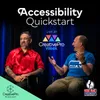
Recorded live at CreativePro Week 2026, this episode features Theresa Jackson talking with document accessibility experts Dax Castro and Chad Chelius about practical ways designers can start creating more accessible documents. Dax and Chad begin by sharing their own journeys into accessibility and how they came to focus on helping others create more inclusive documents. From there, they explain how small decisions in InDesign, PowerPoint, and PDF workflows can improve the experience for people using assistive technology. The conversation covers document metadata, heading structure, lists, decorative elements, accessibility checkers, screen readers, and what to do with older documents that were not designed with accessibility in mind. Show Highlights: Accessibility Quickstart Tips Add a descriptive document title and review the author information in your file metadata. Build a clear heading structure with paragraph styles mapped to H1–H6 tags. Use built-in list tools so screen readers recognize and announce lists correctly. Check color contrast early, before your palette becomes embedded throughout the design. Mark decorative graphics, running headers, and footers as artifacts so screen readers can skip them. Create an object style and keyboard shortcut to artifact decorative elements more efficiently in InDesign. Run an accessibility checker, but do not assume a passing result guarantees a good user experience. Test PDFs with a screen reader such as JAWS, NVDA, or Apple VoiceOver to hear how the content is actually presented. Fix reusable documents at the source whenever possible, especially templates and recurring reports. Use automated tagging tools to improve large collections of legacy PDFs, then review the results. Start with manageable improvements and build your accessibility skills over time. Resources CreativePro Accessibility Summit, October 20-23, 2026: https://creativepro.com/event/design-accessibility-summit-2026/ Event Savings: Save $100 on any CreativePro event in 2026 with the discount code PODCAST: https://creativepro.com/events/ Chaxchat Podcast: https://www.accessibilitychecklists.com/ Chax Training & Consulting: https://chaxtc.com/ Free for Members–Accessibility Super Guide: https://creativepro.com/product/accessibility-superguide/ Membership Discount: Get $15 off one year of CreativePro membership with the discount code PODCAST: https://creativepro.com/become-a-member/
Podzilla Summary coming soon
Sign up to get notified when the full AI-powered summary is ready.
Free forever for up to 3 podcasts. No credit card required.
Listen to This Episode
More from The CreativePro Podcast

A Free, Vibe-Coded Adobe Suite? Our Reaction
Adding Video to Your Design Toolkit
Making Accessibility Part of Your Design Process
How to Be a Better Designer
Get summaries like this every morning.
Free AI-powered recaps of The CreativePro Podcast and your other favorite podcasts, delivered to your inbox.
Free forever for up to 3 podcasts. No credit card required.