Free Daily Podcast Summary
The Business Owners IT Podcast: Daily Summaries Delivered
by The Business Owner's IT Podcast
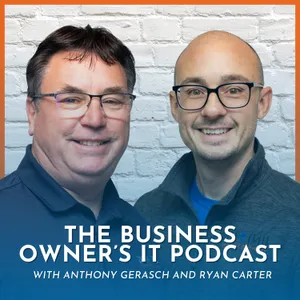
Welcome to The Business Owner's IT Podcast, sponsored by Unique Computing Solutions, featuring Anthony Gerasch and Ryan Carter. This podcast discusses tips, tricks, current events and solutions for business owners and professionals regarding technology.
Latest Episodes
The most recent episodes — sign up to get AI-powered summaries of each one.
- 3 days ago9 min
The Business Owner's IT Podcast Ep. 89 - Is Microsoft Copilot Cowork Worth It?
Microsoft Copilot Cowork is here, but is this finally the AI assistant that actually does the work for you?In Episode 89 of The Business Owner’s IT Podcast, Anthony Gerasch and Ryan Carter take a first look at Microsoft Copilot Cowork and what it could mean for business owners and Tech Champions using Microsoft 365.Unlike traditional AI tools that simply respond to prompts, Copilot Cowork is designed around outcomes. You tell it what you need accomplished, and it can help take action across your emails, calendar, meetings, messages, documents, and other Microsoft 365 tools.Ryan shares his hands-on experience using Cowork to catch up on his inbox, identify emails that needed immediate attention, prepare draft responses, and schedule meetings based on availability in his calendar.Tony and Ryan also discuss how Cowork compares with building custom agents in Copilot Studio, why its consumption-based pricing needs to be monitored, and why businesses should establish guardrails before rolling AI tools out across their organization.In this episode:• What Microsoft Copilot Cowork is.• How Cowork differs from traditional Copilot.• Using AI to organize and prioritize your inbox.• Drafting email responses with Cowork.• Scheduling meetings automatically.• Preparing for meetings using past communications.• Cowork vs. building agents in Copilot Studio.• Consumption-based pricing and AI costs.• Why businesses need spending guardrails.• How Cowork works with Microsoft 365 data.• Security considerations for business users.• Why Cowork could save business owners valuable time.Chapters:0:00 – The Business Owner’s IT Podcast0:17 – What Is Microsoft Copilot Cowork?0:58 – Using Cowork to Manage Your Inbox1:48 – Drafting Emails & Scheduling Meetings2:15 – Cowork vs. Building Your Own AI Agents2:55 – AI-Powered Meeting Preparation3:11 – Turning Business Goals Into Tasks3:36 – The Challenges of Copilot Studio4:13 – Is Building AI Agents Worth the Time?4:41 – Copilot Cowork Pricing & Consumption5:02 – Setting AI Spending Guardrails5:29 – Is Cowork Right for Your Business?6:12 – An AI Assistant That Actually Does the Work6:36 – How Cowork Uses Microsoft 365 Data6:49 – Is Microsoft Copilot Cowork Safe?7:25 – How Businesses Should Start Using Cowork8:08 – Final Thoughts on Copilot Cowork8:31 – ClosingFor Ryan, this gets closer to what he wanted from Copilot from the beginning: an assistant that doesn’t just tell you what to do, but actually helps do the work.If you’re a business owner or Tech Champion exploring Microsoft Copilot, AI automation, or Microsoft 365, this is one development worth watching.What would you want Copilot Cowork to handle for you? Email? Meetings? Task management? Let us know in the comments.#MicrosoftCopilot #CopilotCowork #Microsoft365Copilot #aiforbusiness 💻 Since 1997, Unique Computing Solutions has been providing businesses with the IT support and IT solutions they need to streamline communications, boost productivity, and increase profitability. Website: https://uniquecomputingsolutions.com/LinkedIn: https://www.linkedin.com/company/unique-computing-solutionsFacebook: https://www.facebook.com/UniqueComputingSolutionsYouTube: https://www.youtube.com/@uniquecomputingsolutionsTwitter: https://twitter.com/qputingInstagram: https://www.instagram.com/qputing/Twitter: https://twitter.com/qputingInstagram: https://www.instagram.com/qputing/TikTok: https://www.tiktok.com/@uniquecomputingsolutionsSpotify: https://open.spotify.com/show/3ysyf6NcGAXfM2Ai6T5wQdApple Podcasts: https://podcasts.apple.com/us/podcast/the-business-owners-it-podcast/id1768340957
- Aug 7, 202615 min
The Business Owner's IT Podcast Ep. 88 - Is Microsoft Copilot Worth The Money?
Is Microsoft Copilot worth the money for your business? Microsoft Copilot promises greater productivity, faster access to information, and powerful AI agents, but its value ultimately depends on how your employees use it.In this episode of The Business Owner’s IT Podcast, Anthony Gerasch and Ryan Carter share their real-world experience using Microsoft Copilot inside Unique Computing Solutions. They explain where Copilot is saving time, how AI usage costs can quickly add up, and why businesses need a clear adoption strategy before purchasing licenses for their entire organization.You’ll hear how the UCS team created a custom AI agent that searches previous service tickets, retrieves information from cloud-based business systems, and helps technicians find possible solutions using natural-language questions. One newer technician even used the agent to learn from past tickets when more experienced team members were unavailable.Anthony and Ryan also discuss how Microsoft Copilot can help businesses:• Search and summarize information from multiple systems.• Prepare for customer meetings and follow-up conversations.• Identify unresolved service issues.• Help newer employees learn from previous work.• Analyze productivity and employee performance data.• Automate repetitive business processes.• Build custom AI agents without traditional programming.• Improve email management and meeting summaries.• Give employees faster access to useful information.So, is Microsoft Copilot worth the money?According to Anthony and Ryan, the answer is yes, as long as employees actively use it to solve real business problems. A monthly Copilot license may provide greater value than consumption-based pricing for frequent users, but purchasing licenses alone does not guarantee a return on investment.Subscribe to The Business Owner’s IT Podcast for more conversations about Microsoft Copilot, artificial intelligence, cybersecurity, managed IT services, business productivity, and the technology shaping the future of work.Chapters:00:00 – Is Microsoft Copilot Worth the Money?00:39 – How UCS Uses Microsoft Copilot01:48 – Copilot Licenses vs. Consumption Pricing02:06 – Helping New Employees Learn with AI03:25 – Connecting Copilot to Business Systems03:56 – Searching Business Data with Natural Language04:50 – Saving Time with AI-Powered Summaries05:19 – Analyzing Employee Performance with AI06:30 – Is Copilot Worth the Monthly Cost?07:22 – Measuring Employee Copilot Usage08:00 – Building AI Agents for Your Business09:22 – Copilot Email and Meeting Productivity10:10 – Will Microsoft Copilot Replace Employees?10:21 – Helping Employees Work Smarter12:06 – How to Introduce Copilot to Your Team13:13 – What Is an AI Agent?14:06 – Creating Copilot Agents Without Programming14:52 – What’s Next for Microsoft Copilot?#MicrosoftCopilot #Microsoft365Copilot #AIForBusiness💻 Since 1997, Unique Computing Solutions has been providing businesses with the IT support and IT solutions they need to streamline communications, boost productivity, and increase profitability. Website: https://uniquecomputingsolutions.com/LinkedIn: https://www.linkedin.com/company/unique-computing-solutionsFacebook: https://www.facebook.com/UniqueComputingSolutionsYouTube: https://www.youtube.com/@uniquecomputingsolutionsTwitter: https://twitter.com/qputingInstagram: https://www.instagram.com/qputing/Twitter: https://twitter.com/qputingInstagram: https://www.instagram.com/qputing/TikTok: https://www.tiktok.com/@uniquecomputingsolutionsSpotify: https://open.spotify.com/show/3ysyf6NcGAXfM2Ai6T5wQdApple Podcasts: https://podcasts.apple.com/us/podcast/the-business-owners-it-podcast/id1768340957
- Jul 24, 20268 min
The Business Owner's IT Podcast Ep. 87 - AI Meeting Recording: Are Your Conversations Private?
AI meeting recording tools promise better notes, searchable transcripts, and instant summaries, but what happens to the privacy of your business conversations?In this episode of The Business Owner’s IT Podcast, Anthony Gerasch and Ryan Carter discuss the risks businesses should consider before allowing AI meeting assistants such as Fireflies.ai, Read AI, Fathom, Microsoft Copilot, and other transcription tools into online meetings.An AI notetaker may enter a Microsoft Teams or Zoom meeting and begin capturing the conversation before every participant has arrived. That means private discussions, customer information, business deals, cybersecurity incidents, and other sensitive topics could become part of a stored transcript.Tony and Ryan explore important questions every business owner and Tech Champion should be asking:• Did everyone clearly consent to the meeting being recorded?• Does an automated notification count as permission?• Who owns the recording, transcript, and AI-generated summary?• Where is the meeting information stored?• Who can access or share the transcript?• Could a recorded conversation later become part of a legal dispute?• What happens when an AI-generated transcript is inaccurate?• Should the recording stop when the conversation becomes sensitive?AI meeting assistants can be valuable productivity tools, but they should not be allowed into every conversation without thought, transparency, and clear policies.The key takeaway: Always ask before recording, document that consent, review AI-generated notes for accuracy, and think carefully about whether the conversation should be recorded at all.This podcast is provided for general educational and informational purposes and does not constitute legal advice. Recording and consent laws may vary depending on the location of the meeting participants. Consult a qualified legal professional about the requirements that apply to your organization.CHAPTERS00:00 – The Business Owner’s IT Podcast00:26 – Is an AI assistant recording your meeting?00:55 – Why meeting-recording consent matters01:45 – Can you remove an AI notetaker?02:26 – Does a notification count as consent?02:59 – Recording before everyone joins03:42 – The brownie recipe strategy03:47 – Blocking AI assistants from meetings04:22 – Legal questions surrounding AI recordings04:39 – AI transcripts are not always accurate05:12 – The danger of trusting AI without review05:49 – Who owns the meeting transcript?06:46 – Could a transcript be subpoenaed?07:13 – Ryan’s tip of the week07:23 – Stop recording sensitive conversations07:41 – Final advice for business owners08:05 – Unique Computing SolutionsHave you ever joined a meeting and discovered that an AI assistant was already recording? Let us know in the comments.Subscribe to The Business Owner’s IT Podcast for practical conversations about artificial intelligence, cybersecurity, business technology, and the technology challenges affecting today’s business owners and Tech Champions.#AIMeetingRecording #AIMeetingPrivacy #AIMeetingAssistant💻 Since 1997, Unique Computing Solutions has been providing businesses with the IT support and IT solutions they need to streamline communications, boost productivity, and increase profitability. Website: https://uniquecomputingsolutions.com/LinkedIn: https://www.linkedin.com/company/unique-computing-solutionsFacebook: https://www.facebook.com/UniqueComputingSolutionsYouTube: https://www.youtube.com/@uniquecomputingsolutionsTwitter: https://twitter.com/qputingInstagram: https://www.instagram.com/qputing/Twitter: https://twitter.com/qputingInstagram: https://www.instagram.com/qputing/TikTok: https://www.tiktok.com/@uniquecomputingsolutionsSpotify: https://open.spotify.com/show/3ysyf6NcGAXfM2Ai6T5wQdApple Podcasts: https://podcasts.apple.com/us/podcast/the-business-owners-it-podcast/id1768340957
- Jul 10, 202612 min
The Business Owner's IT Podcast Ep. 86 - Podcast Setup for Beginners: Start a Business Podcast
Thinking about starting a podcast for your business, but not sure what equipment, software, or setup you actually need?In this episode of The Business Owner’s IT Podcast, Ryan Carter is joined by special guest John Gallegos to talk through the technology behind the podcast and what business owners should consider when building their own podcast setup.From OBS and cameras to microphones, lighting, mixers, green screens, recording space, and consistency, this conversation gives business owners and Tech Champions a practical look at how a podcast comes together behind the scenes.John explains that there is no “secret sauce” to getting started. Much of the setup comes from experience, trial and error, and learning what works best for your space, your budget, and your audience. The biggest message of the episode is simple: you do not need a perfect studio to begin. Start with what you have, create on a regular cadence, and improve your setup over time.Whether you are a business owner looking to educate your customers, a technology enthusiast curious about the gear behind a video podcast, or someone thinking about creating content for your brand, this episode breaks down podcasting in a simple and approachable way.In this episode, Ryan and John discuss:✅ What business owners need to start a podcast.✅ The technology stack behind The Business Owner’s IT Podcast.✅ Why audio quality is one of the most important parts of podcasting.✅ How OBS can be used for podcast recording.✅ Camera, microphone, lighting, and mixer considerations.✅ Why your recording space does not need to be perfect.✅ How podcasting can help educate customers and build trust.✅ Why consistency matters more than expensive equipment.✅ The value of short-form clips and regular content creation.✅ The best first step for business owners: just start.Chapters: 00:00 Introduction to The Business Owner’s IT Podcast00:18 This Week’s Topic: Starting a Business Podcast00:43 How Did We Make This Podcast?00:55 Breaking Down the Podcast Tech Stack01:18 Trial, Error, and Finding the Right Setup02:08 How the Podcast Has Improved Over Time02:38 The Origin of The Business Owner’s IT Podcast02:56 From a Rented Studio to the Current Setup03:20 What Equipment Do You Need to Start?03:34 Choosing a Powerful Computer04:01 Using OBS for Podcast Recording04:29 Choosing a Camera for Video Podcasting05:22 Why Audio Quality Matters05:52 Microphones and the Shure SM7B Setup06:22 Audio, YouTube, and the Algorithm Conversation07:33 Lighting and Green Screen Setup08:26 Using a Mixer for Better Audio Control09:11 Advice for Business Owners: Just Start09:23 Starting with a Cell Phone09:33 The Importance of Consistency09:55 Finding the Right Recording Space10:49 Using Podcasting to Educate Your Audience11:33 Tip of the Week: Just Get Started12:03 Closing ThoughtsSubscribe to The Business Owner’s IT Podcast for more practical conversations about business technology, cybersecurity, IT strategy, and the tools that help business owners make smarter decisions.#podcastsetup #howtostartapodcast #podcastingforbeginners 💻 Since 1997, Unique Computing Solutions has been providing businesses with the IT support and IT solutions they need to streamline communications, boost productivity, and increase profitability. Website: https://uniquecomputingsolutions.com/LinkedIn: https://www.linkedin.com/company/unique-computing-solutionsFacebook: https://www.facebook.com/UniqueComputingSolutionsYouTube: https://www.youtube.com/@uniquecomputingsolutionsTwitter: https://twitter.com/qputingInstagram: https://www.instagram.com/qputing/Twitter: https://twitter.com/qputingInstagram: https://www.instagram.com/qputing/TikTok: https://www.tiktok.com/@uniquecomputingsolutionsSpotify: https://open.spotify.com/show/3ysyf6NcGAXfM2Ai6T5wQdApple Podcasts: https://podcasts.apple.com/us/podcast/the-business-owners-it-podcast/id1768340957
- Jun 26, 202620 min
The Business Owner's IT Podcast Ep. 85 - Flipper Zero Business Security Risks: What You Should Know
Could a pocket-sized device expose serious weaknesses in your business security?In this episode of The Business Owner’s IT Podcast, Ryan Carter is joined by special guest John Gallegos to discuss Flipper Zero business security risks and what business owners should understand about today’s physical and digital security threats.The Flipper Zero may look like a toy, but it can interact with signals, badges, garage doors, infrared devices, Wi-Fi tools, and USB-based attack methods. The real concern is not just the device itself; it is what tools like this can reveal about outdated access controls, weak badge systems, unsecured wireless networks, open USB ports, and gaps in employee cybersecurity awareness.Ryan and John break down how business owners and Tech Champions can think more practically about security, including:✅ How RFID badges and key fobs can create access control risks.✅ Why outdated garage doors and wireless systems can be vulnerable.✅ How rogue access points and Evil Portal attacks can trick users.✅ Why unencrypted Wi-Fi networks are dangerous.✅ How open USB ports can become a security concern.✅ Why legacy technology creates low-hanging fruit for attackers.✅ How cybersecurity awareness training helps protect your business.✅ What business owners can do to improve cyber hygiene.If a small device can expose your business, imagine what a motivated attacker with more advanced tools could do.Now is the time to review your access control systems, wireless security, employee training, USB policies, physical security, and overall cybersecurity posture.Have questions about your business security? Drop them in the comments or reach out to Unique Computing Solutions.⏰ Chapters00:00 Introduction to The Business Owner’s IT Podcast00:18 The garage door story01:44 How could someone get into the garage?02:15 What is a Flipper Zero?03:15 How signal cloning works04:05 Copying garage door signals05:14 Why business owners should know about this device05:40 Badge systems and access control risks06:04 Cybersecurity training and employee awareness07:14 Keeping badges and key fobs secure07:46 When the Flipper Zero becomes more concerning09:10 Adding Wi-Fi functionality09:36 Wi-Fi deauthentication attacks10:13 Man-in-the-middle attacks10:17 Rogue access point detection10:55 Evil Portal attacks explained12:00 Why unencrypted Wi-Fi is risky12:28 The real risk is weak systems13:05 USB Rubber Ducky-style risks14:00 Common vulnerabilities for business owners14:36 Why security awareness training matters15:12 How to reduce business security risks16:38 Flipper Zero as a cybersecurity learning tool17:27 What a $200 device can reveal17:45 Why now is the time to test your security18:48 Tip of the week19:28 Final reminder: training, awareness, and vigilance19:39 Closing thoughts#flipperzero #businesssecurity #cybersecurityawareness 💻 Since 1997, Unique Computing Solutions has been providing businesses with the IT support and IT solutions they need to streamline communications, boost productivity, and increase profitability. Website: https://uniquecomputingsolutions.com/LinkedIn: https://www.linkedin.com/company/unique-computing-solutionsFacebook: https://www.facebook.com/UniqueComputingSolutionsYouTube: https://www.youtube.com/@uniquecomputingsolutionsTwitter: https://twitter.com/qputingInstagram: https://www.instagram.com/qputing/Twitter: https://twitter.com/qputingInstagram: https://www.instagram.com/qputing/TikTok: https://www.tiktok.com/@uniquecomputingsolutionsSpotify: https://open.spotify.com/show/3ysyf6NcGAXfM2Ai6T5wQdApple Podcasts: https://podcasts.apple.com/us/podcast/the-business-owners-it-podcast/id1768340957
- Jun 12, 202614 min
The Business Owner's IT Podcast Ep. 84 - AI Agents for Business: How Copilot Can Improve Efficiency
AI agents are becoming one of the biggest conversations in business technology, but what do they actually mean for business owners?In this episode of The Business Owner’s IT Podcast, Tony Gerasch, Ryan Carter, and Alex Aguirre record from Pax8 Beyond in Salt Lake City to talk about AI, automation, Microsoft Copilot, and how businesses can start using AI agents in a secure and practical way.The UCS team shares what they have learned over the past year while building and testing AI tools internally, including Copilot agents that help review tickets, identify similar issues, analyze server downtime, and bring important business information together faster.They also discuss why AI should not be treated as a quick trend or simple plug-and-play tool. To get real value, businesses need a clear goal, secure data access, testing, governance, and human oversight.If you are a business owner, decision maker, or Tech Champion wondering how AI agents could help your organization, this episode is a great place to start.⏰ Chapters: 00:00 Intro00:16 Live from Pax8 Beyond in Salt Lake City00:23 What UCS has learned about AI and automation01:18 Building internal AI tools with Microsoft Copilot01:57 What “Customer Zero” means for AI adoption02:39 Why many businesses are not seeing revenue from AI yet03:10 How AI agents can improve efficiency04:21 Why business owners may already have the tools they need04:46 What an AI agent actually is05:32 Keeping business data secure with Copilot06:05 Testing AI agents for data protection and governance07:12 Why AI agents need planning, building, testing, and security08:08 Tracking Copilot agent usage in Microsoft Admin Center08:30 Getting more value from Copilot licenses09:42 Lessons from the Pax8 vendor floor10:56 Is AI the next major shift in business technology?11:13 AI tools vs. the human connection12:20 AI as digital labor12:48 Tip of the Week: Start the AI conversation now13:37 Final thoughts from Pax8 BeyondReady to explore AI agents, Microsoft Copilot, or secure automation for your business?Contact Unique Computing Solutions today!#AIAgents #MicrosoftCopilot #BusinessTechnology #ManagedITServices💻 Since 1997, Unique Computing Solutions has been providing businesses with the IT support and IT solutions they need to streamline communications, boost productivity, and increase profitability. Website: https://uniquecomputingsolutions.com/LinkedIn: https://www.linkedin.com/company/unique-computing-solutionsFacebook: https://www.facebook.com/UniqueComputingSolutionsYouTube: https://www.youtube.com/@uniquecomputingsolutionsTwitter: https://twitter.com/qputingInstagram: https://www.instagram.com/qputing/Twitter: https://twitter.com/qputingInstagram: https://www.instagram.com/qputing/TikTok: https://www.tiktok.com/@uniquecomputingsolutionsSpotify: https://open.spotify.com/show/3ysyf6NcGAXfM2Ai6T5wQdApple Podcasts: https://podcasts.apple.com/us/podcast/the-business-owners-it-podcast/id1768340957
- May 29, 202614 min
The Business Owner's IT Podcast Ep. 83 - SharePoint Migration Mistakes That Slow Down Your Business
Is your business thinking about moving files from an old on-premise server to SharePoint? Before you start your SharePoint migration, there are a few important things every business owner should understand.In this episode of The Business Owner’s IT Podcast, Tony Gerasch and Ryan Carter discuss the real-world challenges that can happen during a large SharePoint migration, especially when a company has years of files, outdated file types, long folder paths, and users who are used to working inside File Explorer.They also talk about why moving data to SharePoint can help businesses prepare for AI tools like Microsoft Copilot, better document search, file tagging, automation, and cloud-based workflows. But as Tony explains, a successful migration takes more than simply moving files into the cloud. It requires cleanup, planning, user training, and a smart strategy for how employees will access and manage company data moving forward.In this episode, you’ll learn:✅ How large file libraries can create OneDrive sync problems.✅ Why old files and outdated file types should be cleaned up before migration.✅ How SharePoint can improve search, tagging, and automation.✅ Why businesses may need to rethink old file server habits.✅ How cloud data can help prepare your business for AI and Microsoft Copilot.✅ Why long file paths and messy folder structures can slow down migration.✅ What to consider before buying another on-premise server.If your business is considering a file server to SharePoint migration, this episode will help you understand the common mistakes, hidden challenges, and planning steps that can make the process smoother.Subscribe for more technology tips, cybersecurity conversations, and IT strategy discussions for business owners and Tech Champions.⏰ Chapters00:00 – Introduction00:12 – SharePoint migrations and large file libraries00:38 – Why cloud data matters for AI and Copilot01:22 – OneDrive sync issues with large SharePoint libraries02:35 – Cleaning up old files before migration03:53 – What Tony would do differently04:05 – Working directly inside SharePoint Online04:30 – SharePoint search, metadata, and AI tools04:51 – Using automation with SharePoint05:11 – Lessons from large file migrations05:46 – Why older companies struggle with years of data05:57 – Preparing businesses for AI adoption06:40 – SharePoint storage and OneDrive sync storms07:35 – Turning off OneDrive sync in SharePoint07:56 – Finding files faster with SharePoint search08:28 – Rethinking old file server structures09:11 – SharePoint tagging and backup benefits09:26 – Should you move to the cloud or buy another server?10:27 – How file syncs can impact computer performance11:00 – Laptop RAM limitations and upgrade challenges12:29 – Quick tip: Plan before moving files to SharePoint12:48 – Why small files can still create big headaches13:19 – Long file paths and migration issues13:26 – Final thoughts#sharepoint #sharepointmigration #microsoft365 💻 Since 1997, Unique Computing Solutions has been providing businesses with the IT support and IT solutions they need to streamline communications, boost productivity, and increase profitability. Website: https://uniquecomputingsolutions.com/LinkedIn: https://www.linkedin.com/company/unique-computing-solutionsFacebook: https://www.facebook.com/UniqueComputingSolutionsYouTube: https://www.youtube.com/@uniquecomputingsolutionsTwitter: https://twitter.com/qputingInstagram: https://www.instagram.com/qputing/Twitter: https://twitter.com/qputingInstagram: https://www.instagram.com/qputing/TikTok: https://www.tiktok.com/@uniquecomputingsolutionsSpotify: https://open.spotify.com/show/3ysyf6NcGAXfM2Ai6T5wQdApple Podcasts: https://podcasts.apple.com/us/podcast/the-business-owners-it-podcast/id1768340957
- May 15, 202616 min
The Business Owner's IT Podcast Ep. 82 - Microsoft Copilot for Business: Automate Tasks & Save Time
What if your business could automate repetitive tasks, streamline workflows, and save hours every week using AI?In this episode of The Business Owner’s IT Podcast, Anthony Gerasch and Ryan Carter discuss how businesses are using Microsoft Copilot for Business, AI agents, Power Automate, and Copilot Studio to improve productivity and simplify daily operations.From automating emails and follow-ups to creating AI-powered workflows and presentations, this episode explores real-world business use cases that demonstrate how AI is changing the workplace today.Whether you're a business owner, manager, or Tech Champion looking to stay ahead, this episode breaks down practical ways to start using AI in your organization without overcomplicating it.In This Episode:✅ Microsoft Copilot for Business explained.✅ Free vs paid Copilot differences.✅ AI automation for small businesses.✅ Copilot Studio & Power Automate.✅ AI agents and workflow automation.✅ Real-world business AI examples.✅ SharePoint & OneDrive Copilot limitations.✅ Why AI adoption matters for business owners.✅ How businesses are saving hours with AI.Key TakeawayAI isn’t replacing your employees; it’s helping your team work faster, smarter, and more efficiently.The businesses experimenting with AI today will be the businesses leading tomorrow.Need Help Getting Started?Unique Computing Solutions offers:* Microsoft Copilot Training* AI Consulting* Workflow Automation* Copilot Studio Assistance* Power Automate Integrations💬 Drop a comment if you'd like help implementing AI into your business.About The PodcastThe Business Owner’s IT Podcast helps business owners and technology enthusiasts (“Tech Champions”) stay informed about cybersecurity, AI, automation, IT strategy, and emerging business technology.Chapters00:00 – Introduction00:17 – Microsoft Copilot Business Bundle Extended00:49 – Growing AI & Copilot Adoption01:36 – Free vs Paid Copilot Explained01:59 – AI Training & Business Consulting02:44 – Understanding the “Walled Garden”03:05 – From Simple Prompts to AI Agents03:25 – Power Automate & Copilot Studio04:27 – Saving Hours with AI Automation05:27 – DIY AI vs Professional Assistance06:41 – SharePoint & Copilot Limitations08:23 – Why AI Features Constantly Change09:49 – Why Businesses Should Start Using AI10:07 – Choosing Different AI Models in Copilot11:07 – Building AI Agents with Copilot Studio11:36 – Why AI Is Not Going Away12:12 – Start Small with AI Automation13:24 – Real AI Workflow Automation Example14:32 – Automating Follow-Ups & Notifications15:29 – AI Helps Teams Become More Efficient15:50 – Final Thoughts on Microsoft Copilot16:08 – Outro#MicrosoftCopilot #AIForBusiness #businessautomation 💻 Since 1997, Unique Computing Solutions has been providing businesses with the IT support and IT solutions they need to streamline communications, boost productivity, and increase profitability. Website: https://uniquecomputingsolutions.com/LinkedIn: https://www.linkedin.com/company/unique-computing-solutionsFacebook: https://www.facebook.com/UniqueComputingSolutionsYouTube: https://www.youtube.com/@uniquecomputingsolutionsTwitter: https://twitter.com/qputingInstagram: https://www.instagram.com/qputing/Twitter: https://twitter.com/qputingInstagram: https://www.instagram.com/qputing/TikTok: https://www.tiktok.com/@uniquecomputingsolutionsSpotify: https://open.spotify.com/show/3ysyf6NcGAXfM2Ai6T5wQdApple Podcasts: https://podcasts.apple.com/us/podcast/the-business-owners-it-podcast/id1768340957
About The Business Owners IT Podcast
Welcome to The Business Owner's IT Podcast, sponsored by Unique Computing Solutions, featuring Anthony Gerasch and Ryan Carter. This podcast discusses tips, tricks, current events and solutions for business owners and professionals regarding technology.
Customized Recaps
AI-powered recaps with compact key takeaways, quotes, and insights.
Straight to Your Inbox
Get key takeaways from The Business Owners IT Podcast in a 5-minute read.
Save Hours Every Week
Stay current on your favorite podcasts without falling behind.
Frequently Asked Questions
What is Podzilla's The Business Owners IT Podcast daily summary?
It's a free AI-powered email that summarizes new episodes of The Business Owners IT Podcast as soon as they're published. You get the key takeaways, notable quotes, and links & mentions — all in a quick read.
How does the The Business Owners IT Podcast podcast summary work?
When a new episode drops, our AI transcribes and analyzes it, then generates a personalized summary tailored to your interests and profession. It's delivered to your inbox every morning.
Is this an official The Business Owners IT Podcast product?
No. Podzilla is an independent service that summarizes publicly available podcast content. We're not affiliated with or endorsed by The Business Owner's IT Podcast.
Can I get summaries of other podcasts too?
Absolutely! The free plan covers up to 3 podcasts. Upgrade to Pro for 15, or Premium for 50. Browse our full catalog at /podcasts.
How often does The Business Owners IT Podcast release new episodes?
The Business Owners IT Podcast publishes biweekly. Our AI generates a summary within hours of each new episode.
What topics does The Business Owners IT Podcast cover?
The Business Owners IT Podcast covers topics including Technology. Our AI identifies the specific themes in each episode and highlights what matters most to you.
Start getting The Business Owners IT Podcast summaries tomorrow morning.
Free forever for up to 3 podcasts. No credit card required.
Free forever for up to 3 podcasts. No credit card required.