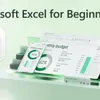
This is the Microsoft Excel guide and tutorial for beginners. If you're new to and getting started with Excel or coming from another app, in this video we teach the basics of Excel, the user interface, core concepts, and how to work with basic data. We'll show you how to build a full Excel workbook from scratch using natural language prompts with Copilot. Format cells, write formulas, and analyze a year of data. Generate sample data, calculate totals, apply conditional formatting, and pin down outliers across columns and rows, all from your browser at excel.new. Share the workbook by name, group, or email and co-author with teammates across web, desktop, and phone. Every edit syncs to OneDrive in real time. Jeremy Chapman, Microsoft 365 Director, shares how to go from blank workbook to analyzed, shared spreadsheet in one sitting. If you have a work or school accounts, Copilot Chat is available at no additional cost if you have Microsoft 365 A1/A3/A5, Business Basic/Standard/Premium, E3/E5, F1/F3, G3/G5, and Office 365 A1/A1 Plus/A3/A5, E1/E1 Plus/E3/E5, F3, G1/G3/G5. If you have a personal Microsoft account, Copilot is available with Microsoft 365 Personal, Family, or Premium in Microsoft 365. For Family and multi-user accounts, only the subscription owner can use Copilot in the desktop apps. ► QUICK LINKS: 00:00 - Excel Essentials 00:57 - Start from a blank workbook 02:11 - Core terms and concepts 04:25 - Generate Sample Data with Copilot 06:16 - How to work with the numbers 09:35 - Copilot Writes Your SUM Formulas 09:57 - Conditional Formatting from a Prompt 10:40 - Outlier Analysis with Reasoning 11:36 - Real-Time Co-Authoring in OneDrive 12:22
Podzilla Summary coming soon
Sign up to get notified when the full AI-powered summary is ready.
Free forever for up to 3 podcasts. No credit card required.
Listen to This Episode
More from Microsoft Mechanics Podcast
Introducing Azure HorizonDB - PostgreSQL
Agent 365 | Security Operations in Defender
Microsoft Entra Tenant Governance | Find Configuration Drift
Automate evaluations | Microsoft Foundry
Get summaries like this every morning.
Free AI-powered recaps of Microsoft Mechanics Podcast and your other favorite podcasts, delivered to your inbox.
Free forever for up to 3 podcasts. No credit card required.