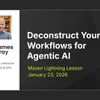
You Can't Automate What You Don't Understand: Deconstructing Workflows for AI
Here’s something I see all the time:A leader wants to automate prospect research. Or customer outreach. Or content creation. They’ve done the process hundreds of times. They know it works. But when they try to apply AI?They get stuck.Not because the AI isn’t capable. But because they’ve never had to explain their process with the kind of precision an AI needs. The workflow lives in their head as intuition—not as clear, repeatable steps.On Friday, I hosted a Lightning Lesson where we tackled this together. Over 340 leaders and professionals joined me to walk through how to take something you know intimately and break it down so AI can actually execute it.No theory. Just a real workflow, deconstructed step by step.Graymatter is a reader-supported publication. To receive new posts and support my work, consider becoming a free or paid subscriber.The Challenge: Getting What’s in Your Head Into StructureThink about something you do regularly in your business. Maybe it’s qualifying leads. Analyzing feedback. Preparing reports.Now imagine explaining every single step to someone who’s smart but has never done it before. Not just the what—the how, the why, the decision points, the nuances.Suddenly it’s not so simple, right?That’s the gap. You have expertise that’s second nature. AI needs explicit instructions. Deconstruction is how you bridge that gap.And honestly? The process of breaking it down often reveals things you didn’t even realize you were doing—which makes your process better, with or without AI.What We Built TogetherIn this session, I walked through a workflow I use for LinkedIn prospect research. Nothing fancy—just a practical business process:* Start with a buyer persona (the kind of prospect you want to find)* Search LinkedIn for people who match that profile* Evaluate each prospect against specific criteria* Generate personalized engagement recommendations* Output everything in a structured formatThe interesting part isn’t the workflow itself. It’s how we approach building it.Key Concepts You Can Apply Immediately1. The “What/Why vs. How” PrincipleYou shouldn’t be writing detailed AI instructions from scratch. That’s the old way.Instead, you define the business outcome and sketch high-level steps. Then let AI generate the detailed execution instructions.You bring domain expertise. AI brings execution precision. Stay in your lane.2. Meta-Prompting: Let AI Write AI InstructionsHere’s the actual technique:“You are an expert workflow designer and prompt engineer. Please write a prompt for this scenario. The outcome is [your goal]. Here are the high-level steps: [your steps]. Now write the detailed instructions.”Let the model craft the “how” while you focus on the strategic “what and why.”I demonstrate this live in the session—you’ll see how much better the AI-generated instructions are than what most people write manually.3. Skills vs. MCPs: Understanding the DifferenceThis came up multiple times in Q&A because it’s genuinely confusing.Skills teach Claude how to do something. Procedural knowledge. “Here’s how to write a LinkedIn post in my style.”MCPs (Model Context Protocol) give Claude access to something. Tool connectivity. “Here’s how to read from and write to my Notion database.”They work together. Skills provide the methodology. MCPs provide the capability.4. Build a Workflow RegistryDon’t just build workflows ad hoc. Create a system.I show my Notion setup where every workflow is documented with:* Name and business process assignment* Description and expected outcome* Trigger conditions* The actual steps* Links to AI assets (prompts, personas, templates)* Status trackingThis becomes your institutional knowledge. Your competitive moat.5. The Clarity TestHere’s how you know if a workflow is ready to automate:Can you explain it clearly enough that a smart person who’s never done it could execute it successfully?If not, you’re not ready for AI yet. The work is in the deconstruction, not the automation.6. Create Reusable AI AssetsIn the demo, I use a buyer persona stored as a markdown file. It’s an AI asset I can plug into multiple workflows—prospect research, email outreach, and content creation.Think in building blocks. What pieces of knowledge or context can you document once and reuse everywhere?Questions That Came UpThe Q&A was where things got practical. People asked questions like:“Should I design my Notion database first, or let Claude do it?” (Start simple with what makes sense to you, then let Claude optimize based on your actual workflow
Podzilla Summary coming soon
Sign up to get notified when the full AI-powered summary is ready.
Free forever for up to 3 podcasts. No credit card required.
Listen to This Episode
More from Graymatter: Master AI. Master yourself. Build what matters.
Three Questions Before You Say Yes (in the AI Era)
AI Didn't Create This Question. It Just Made It Impossible to Ignore.

The Easiest Path to Happiness (That We All Ignore)
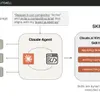
Stop reprompting. Start building skill-powered workflows
Get summaries like this every morning.
Free AI-powered recaps of Graymatter: Master AI. Master yourself. Build what matters. and your other favorite podcasts, delivered to your inbox.
Free forever for up to 3 podcasts. No credit card required.