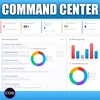
I Built an AI Command Center for My Entire Workday
Build your own AI-powered Personal Dashboard with Microsoft Copilot and Copilot Cowork. In this video, I’ll show you how I created a custom AI Command Center that helps me prioritize my day, focus on what matters most, and stay ahead of emails, meetings, projects, Teams chats, KPIs, overdue tasks, calendar load, and more with automatic hourly updates in one centralized view. I’m Shervin Shaffie, Copilot Principal Engineer at Microsoft, and in this step-by-step tutorial you’ll learn how to build a personalized productivity dashboard. I’m also sharing the exact prompts and recipe so you can customize it for your own workflow.⏩ You can watch the video here: https://youtu.be/kXP88J94BOEThis Podcast represents the opinions of Shervin Shaffie and his guests to the video and does not reflect the opinions of Microsoft, affiliates, or the companies with which this video's participants are affiliated with.© 2020–Present Collaboration Simplified. All rights reserved. Collaboration Simplified® is a registered trademark of Shervin Shaffie.
Podzilla Summary coming soon
Sign up to get notified when the full AI-powered summary is ready.
Free forever for up to 3 podcasts. No credit card required.
Listen to This Episode
More from Collaboration Simplified AI Podcast

Why AI Might Actually Make Human Skills More Valuable, Not Less — with Georgia Barnasa, Cognitive AI Architect at Microsoft

500 Million Have Copilot Chat — Most Only Use 10% | Learn How To Use The Other 90%
Go Beyond Copilot Agents with Copilot Cowork (Custom Skills Tutorial)

Copilot Now Lets You Choose Between Claude, ChatGPT, Or Both! (Full Tutorial)
Get summaries like this every morning.
Free AI-powered recaps of Collaboration Simplified AI Podcast and your other favorite podcasts, delivered to your inbox.
Free forever for up to 3 podcasts. No credit card required.